You apply for a job, and instead of a call from a recruiter you get a link. The email says to complete your interview within five days. When you open it, there's no person on the other end. There's a camera, a timer, and a question on the screen, or a voice that introduces itself as an AI interviewer.
You aren't alone. In Greenhouse's 2026 Candidate AI Interview Report, 63% of the U.S. respondents said they had faced an AI interview. That figure comes from the report's U.S. sample, not all job seekers. Many respondents also said employers had not clearly disclosed AI's involvement in advance.
I've spent about twenty years training hiring managers how to interview, and my view is that an AI interview rewards the same thing a good human interview does, which is a specific account of what you did. The format is less forgiving, though, so this guide covers what the term means, how these systems evaluate candidates, how to prepare, and where the line is on using your own AI tools.
What is an AI interview?
"AI interview" gets used for several different things, and you may run into more than one of them in a single job search.
- One-way video interviews. You record answers to preset interview questions with nobody on the other end. People at the company may watch the recordings later, software may score them, or both. A recorded interview isn't necessarily scored by AI, and the camera alone doesn't tell you which.
- Conversational AI interviewers. An AI-powered voice or avatar asks you questions and follow-up questions in real time, then produces a transcript and a summary for the recruiting team, often stored in the company's applicant tracking system (ATS).
- Text-based interviews. You type answers to written questions in a chat window, and the system evaluates what you wrote.
- AI note-takers in ordinary job interviews. A person interviews you, and an AI assistant transcribes the conversation and drafts notes for the hiring manager.
Employers use these tools to standardize parts of screening and reduce scheduling work. Recorded interviews can often be completed within a set window, while conversational systems may ask different follow-up questions. Whether that's good for job seekers is a fair debate, especially when software influences hiring decisions. For now it's part of the interview process at a lot of companies, so it's worth knowing how to handle one.
Who is judging you: the AI, a recruiter, or both?
Before you start, find out who or what will evaluate your answers. Read the invitation and any candidate instructions, and if it isn't clear, ask the recruiter:
Thank you for the invitation. Could you confirm whether this is a live conversation, a recorded interview, or an interactive AI interview? I'd also appreciate the expected length and any instructions about notes, preparation time, or tools.
I'd be skeptical of generic tips about smiling at the camera or using hand gestures. HireVue says its AI-scored video assessments use the transcript of what you say and do not use facial expressions, appearance, body language, or tone. Other providers may work differently. Either way, a transcript-based system can only score the words, so your answer has to contain your actions and your results.
It’s easy to spend half the recording setting the scene. Learn to get to what you did and why it mattered before the timer cuts you off.
How to pass an AI interview
1. Learn the rules before you open the link
Find out how much preparation time you get per question, how long each answer can be, whether retries are allowed, and when everything is due. Some systems don't allow do-overs, and others let you try several times. It's up to the employer. Don't open the link casually on your phone, because on some platforms the timer starts right away.
2. Prepare the same examples you'd bring to any interview
Read the job description and prepare five or six stories tailored to it. Most AI interview questions are the familiar ones: tell me about yourself, why this role, and several "tell me about a time" questions. See how to answer behavioral interview questions.
3. Say everything up front
This is the biggest difference from a live interview. A human interviewer who hears a vague answer can ask, "What did you do, exactly?" A one-way recording cannot ask a follow-up; a conversational AI may. For a one-way interview, include the details a person might otherwise ask you to explain.
Here's a weak recorded answer to "Tell me about a time you had to learn something quickly":
Yes, I've definitely had to do that. At my last job we switched to a new system, which was challenging, but I'm very adaptable and I picked it up fast. It taught me a lot. I'd be happy to explain more if you'd like.
"I'd be happy to explain more" doesn't work when nobody's there to ask. The answer never says what the system was, what made it hard, or what the candidate did to learn it. Here's a better version for a ninety-second recording:
Last spring our clinic's front desk switched scheduling software, and we had one week before the old system was shut off. I was responsible for booking follow-up appointments. The training video didn't cover recurring appointments, which were about a third of what I booked. I asked the vendor's support line how to set them up, tested it on three sample patients, and wrote a half-page guide with screenshots. My supervisor shared it with the other two schedulers. In the first week I still double-booked one slot, so I added a step to check the day view before confirming. Since then I've used the same approach with new software: find the task I do most, test it on samples, and write it down.
She gets to her actions quickly, gives a real result including the double-booking, and ends with what she changed. If your answer runs long, cut background and self-praise before you cut actions and results. And stop when you've finished, even if the timer has fifteen seconds left.
4. Practice under the real constraints
Pick a practice interview question, give yourself the preparation time in your invitation, and record one answer. Watch it and ask whether a stranger could tell what you did. Use the platform's practice mode if it has one, and learn which button submits the real response. If retries are allowed, use them for a technical problem or a missing fact. You don't need twenty takes to remove all the filler words.
5. Handle a conversational AI like a slightly literal interviewer
Listen for the next prompt. If it asks about something you already covered, restate it briefly. If it misstates your role, correct it: "I prepared the report, and my supervisor approved it." You don't have to change your example because the prompt was awkward.
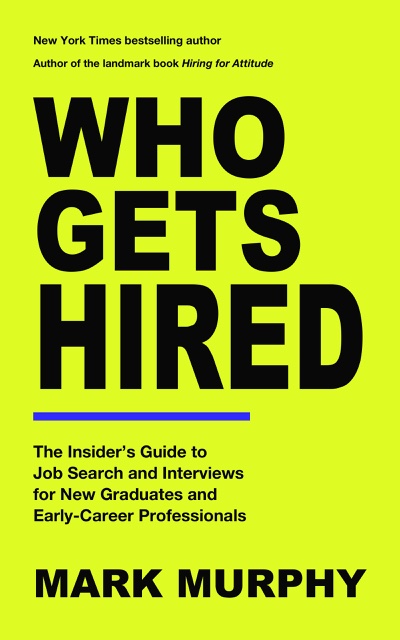
Mark Murphy drew on research with 20,000 new hires to write Who Gets Hired. Use his answer-review checklist to catch vague claims before you’re sitting across from an interviewer.
Should you use an AI interview assistant or copilot during a live interview?
There's a growing category of tools designed to listen to your interview and feed you real-time answers on a second screen. They're marketed as an AI interview assistant or an interview copilot, and some run as a desktop app that's hidden from screen sharing.
I'd advise against using one in a live interview, for two reasons. The first is practical. You'll be reading suggestions while trying to listen, and the AI-generated answer may mention something you can't explain. Suppose the tool supplies a polished paragraph about a forecasting model, and the interviewer asks why you chose that method. If you never built the model, you now have a problem that's worse than a pause would've been.
The second reason is that employers may restrict AI assistance. In Resume Genius's 2026 hiring report, 46% of respondents reported seeing candidates use AI to answer interview questions. That is a self-reported survey finding, not a measure of reliable AI detection. An employer using AI in the interview does not mean you are permitted to use it. Follow the instructions, and ask if the rules are unclear.
If you need an assistive tool for a disability-related reason, that's different. Arrange it ahead of time through the employer's accommodation process.
Where AI tools do help: interview prep with ChatGPT or an AI interview coach
Using AI to prepare is a different matter, and I'd encourage it. ChatGPT, Claude, and similar tools can run a mock interview, generate questions based on the job description, and give detailed feedback on where your answer was vague. Start with a short practice session, then repeat the answers that still feel unclear. A prompt like this works well:
Use the job description below. Ask me one interview question, wait for my answer, and then ask one follow-up about something I said. Tell me which part was unclear and which claim needs a concrete example. Don't add achievements or rewrite my experience.
That last instruction matters. An AI coach may invent accomplishments while trying to make your answer sound better, and you can't defend an accomplishment that never happened. See mock interview questions to practice for a full list.
Your rights, and what to ask
Before recording an interview, check the privacy notice for who can access it and how it will be used. If something important is still unclear, ask the recruiter whether the interview will be reviewed by people, assessed automatically, or both, and how long the recording is kept.
If the timed format creates a disability-related barrier, ask early about an accommodation, such as more response time or a live alternative. Under the U.S. Americans with Disabilities Act, covered employers must provide reasonable accommodations to qualified applicants with disabilities unless doing so would cause undue hardship. The EEOC's guidance explains the process and its limits.
And if the system freezes, write down the question number, the time, and the error message. Contact the support channel and the recruiter right away, and tell them which question was interrupted and when your deadline is.
Frequently asked questions
Is an AI interview a red flag?
Not by itself. Many legitimate employers use them for first rounds. Be careful if you're asked for an ID scan, bank details, or payment as part of an "interview," because scammers imitate these formats. Verify the request through a recruiter contact you trust.
Is an AI interview hard?
The questions are usually standard. What's hard is talking to a camera with a timer and no reactions, so practice with the time limit and format in your invitation.
Is there a free way to practice?
Yes. Record yourself on your phone with a timer, or use the free version of a general AI chatbot with the prompt above. Your school's career center may also offer a practice platform.
Will a human ever see my answers?
Often, yes. Many employers have recruiters and hiring managers review the recordings or transcripts for the candidates the system advances, and some review all of them. Ask if you want to know.
This article is adapted from Mark Murphy's book Who Gets Hired, which shows early-career candidates what trained interviewers listen for and how to answer honestly without underselling themselves.
Turn the advice into something you can use.
Get a worksheet, build an answer, or track your next step with the free companion tools.
Open the related tool →