You've probably heard that an applicant tracking system, or ATS, will reject your resume before a human ever reads it. So maybe you've tried one of those resume checker websites. It gives your resume an ATS score of 74. You add more keywords from the job description and the score climbs to 86. Then you add a skill you sort of have, and now you're at 92.
And now you have a resume you wouldn't feel comfortable explaining in an interview.
I've worked with hiring managers and recruiters for about twenty years, and I want to give you a calmer picture of what ATS software does. A good ATS resume format matters, but for a simpler reason than most job seekers think. The format needs to let the software read your file correctly so that a recruiter sees accurate information. This guide explains what an ATS resume is, which formatting choices help, and which popular tricks can hurt you.
What is an ATS resume?
An ATS resume is a resume formatted so an applicant tracking system can read it accurately. "ATS-friendly resume" means the same thing. It has a plain layout, standard headings, and text the software can extract without scrambling it, so the sections of your resume land in the right fields.
An applicant tracking system is the software employers use to collect job applications, store candidate records, and move people through hiring. Nearly all Fortune 500 companies use an ATS, and many small ones do too. Greenhouse, Workday, iCIMS, and Lever are common examples. When you upload a resume to a company's careers page, it goes into one of these systems.
What ATS software does when it scans your resume
Applicant tracking systems do several different things, and employers configure them differently. Knowing the difference tells you where to spend your effort.
It parses your file
Parsing means the software reads your resume file and tries to pull out your name, contact details, work experience, education, and skills, then puts them into fields. This is where format matters most. Greenhouse, a widely used recruiting platform, warns in its help documentation that columns, text boxes, images, and contact information placed in the document header can interfere with accurate parsing. With an elaborate layout, your dates can land under the wrong job or a section can vanish.
It may help recruiters compare applicants
Some systems organize candidates against criteria the hiring team chose. Greenhouse says its matching feature doesn't automatically advance or reject anyone. That's worth knowing, because a score from an outside website isn't the evaluation the employer uses. The site doesn't know how that employer set up its system.
It can enforce knockout questions
Employers can set rules on application questions. If a delivery job requires a certain driver's license and you answer that you don't have one, the system may reject the application automatically. No amount of ATS optimization on your resume changes that answer.
Then a person decides
In most hiring processes, a recruiter or hiring manager still chooses whom to interview. The best resume is one that parses cleanly and then looks professional to a human reader, with clear evidence that your skills and experience match the job.
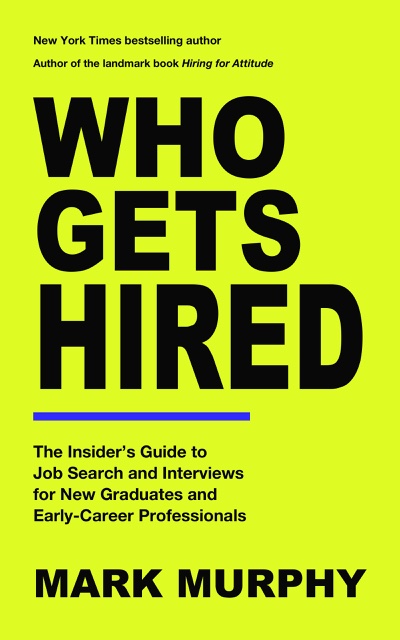
Use the book’s application checks to catch a missing job title, a scrambled date, or a bullet in the wrong field before you hit submit.
The ATS friendly resume format: what helps your resume pass ATS parsing
You don't need special ATS templates or a paid resume builder to create a professional resume. Free resume templates from Word or Google Docs are fine if they're single-column. You need simple formatting that software and people can both read.
- Use one column. Two-column layouts and sidebars are the most common cause of scrambled parsing.
- Use standard headings. "Experience," "Education," "Skills," and "Projects" are recognized by every system. "My Journey" isn't.
- Put contact details in the body. Keep your name, phone, and email out of the header and footer areas of the document.
- Skip text boxes, tables, images, and icons. Text inside them may be skipped or read out of order.
- Use a common font. Arial, Calibri, Georgia, or Times New Roman at 10 to 12 points is easy to read and causes no trouble.
- Use ordinary bullets. Round or square bullets are fine. Custom symbols can turn into odd characters.
- Use a reverse-chronological format. List your most recent role first, with a job title, employer, and dates on each entry. A functional or hybrid format that groups skills at the top can confuse both the parser and the recruiter.
- Write dates consistently. "August 2024 to May 2026" or "08/2024 to 05/2026," and the same style throughout.
- Spell out acronyms once. Write "applicant tracking system (ATS)" or "Search Engine Optimization (SEO)" so a keyword search finds either form.
Word doc or PDF?
Use the file type the employer asks for. If the job ad doesn't say, a Word document (.docx) and a text-based PDF both work with most modern systems. Save your resume as a Microsoft Word file either way, so you always have that version. If you send a PDF, make sure you can select the text with your cursor. A PDF that's really an image of a page, like a scan or a design-tool export, may not be readable at all.
A free ATS-friendly resume template you can build in Microsoft Word
Here's the structure I'd use for an early-career resume. You can build it in Word or Google Docs in a few minutes, and it works as a free ATS-friendly resume template for almost any field.
Your Name
City, State | Phone | Email | LinkedIn URLSummary (optional, two lines)
What you've studied or done, your strongest evidence, and the role you're seeking.Education
Degree, School, Graduation month and yearExperience
Job Title, Employer, City, State, Start month and year to End month and year
- What you did, how you did it, and what happened
- A second specific bullet
Projects (if relevant)
Project name, context, dates, and two or three bulletsSkills
Specific tools and methods you can demonstrate
How to optimize keywords and tailor your resume to the job description
Recruiters search their ATS the way you search a website, so resume keywords do matter. Use the employer's terminology when it accurately describes your work. If the posting asks for "purchase-order matching" and you've done that, use the exact phrase and don't call it "invoice checking." When you tailor your resume this way, both the software and the recruiter can see that you match the job description.
What doesn't work is repetition. Mentioning a software program six times won't make your experience more convincing than describing once how you used it. And if you lack a required skill, a keyword won't give it to you.
When a recruiter says “Walk me through your résumé,” know which experience to lead with and how to explain why it makes you a good choice for this job.
ATS score myths that can hurt you
Myth: Hidden white text will get you through
The trick goes like this: paste the job description into your resume in white font so the ATS scans it and the hiring manager can't see it. Think about what happens if that invisible text says you have three years of payroll experience and you've never processed payroll. If the software extracts it, your application now claims a qualification you don't have. Newer versions hide instructions meant for AI screening tools, and vendors are actively defending against that. Don't build a job search on fooling the software.
Myth: You need a 90% ATS score
Is 80% a good score? It depends entirely on a third-party site's formula, which the employer never sees. A resume scoring tool can be useful for catching a missing keyword you can truthfully add. Once you start adding skills to raise the number, the tool is hurting you.
Myth: An instant rejection means your keywords were wrong
If you're rejected right away, check the minimum qualifications and your answers to the screening questions first. Then check whether your file uploaded correctly. Those are more common causes than a missing phrase.
Check your file and the application fields before you submit
- Do the copy-paste test. Copy all the text from your resume file into a blank document. Does it appear in the right order? Are dates and job titles still attached to the right positions?
- Review the auto-filled fields. Many applications fill in fields from your uploaded resume, and some employers explicitly ask you to verify them. If the system put one job's start date under another employer, your attached resume may look perfect while the application holds wrong information. Fix the fields.
- Read each question carefully. "Have you completed this qualification?" is different from "Are you currently studying toward it?"
- Don't type "see resume." If a field is required, fill it in.
- Save a copy. Keep the resume and cover letter you sent and your answers. That's the version to review before an interview.
Let AI check your evidence
AI tools can help you optimize a resume against the job description without inventing anything. Try this prompt:
Compare this job posting with my resume. For each requirement, show the relevant evidence I've supplied or say that the evidence is missing. Suggest wording only when my facts support it. Don't invent skills, qualifications, job titles, numbers, or results.
Then review the output. Watch the verbs. Did you lead, manage, or design the thing it says you did? Correct anything that overstates your experience before an employer reads it.
Frequently asked questions
What is the best format for an ATS resume?
A single-column, reverse-chronological resume with standard headings, a common font, and no tables, text boxes, or graphics, saved as a Word document or a text-based PDF.
Can an ATS read a PDF?
Most can read a text-based PDF. Follow the employer's instructions, and confirm you can select the text in your file.
Is a two-page resume okay for an ATS?
The software doesn't care about length. For most early-career candidates, one page is enough for the human reader.
Does my cover letter need an ATS format too?
Use the same plain formatting for a cover letter. Most systems store it as an attachment for the recruiter and hiring manager to read, so clarity matters more than keywords.
Do I need a different CV format for an ATS?
The same rules apply to a CV. Keep it to one column with standard headings and consistent dates.
Next, see how to tailor your resume to a job description and how to write a resume with no experience.
This article is adapted from Mark Murphy's book Who Gets Hired, which shows early-career candidates what trained interviewers listen for and how to answer honestly without underselling themselves.
Turn the advice into something you can use.
Get a worksheet, build an answer, or track your next step with the free companion tools.
Open the related tool →