Most job search advice is about you finding employers. You pick a job title, find a posting, and apply. But there's a second search going on that you never see. A recruiter opens LinkedIn Recruiter, types in a job title and a city, adds a few skills, and gets a list of people. If your LinkedIn profile is on that list, you get a message about a job you never applied for. If it isn't, nothing happens, and you never know.
Your LinkedIn headline has a lot to do with which list you land on. It's the one line that shows up next to your name in search results, in comments, and in every connection request. I've spent about twenty years working with hiring managers and recruiters, and I can tell you that a lot of early-career headlines are either blank defaults or strings of adjectives, and neither one helps. This guide gives you a simple formula and 35 LinkedIn headline examples to inspire your own, including examples for students and for people who are unemployed.
What is a LinkedIn profile headline, and why does it matter?
The headline is the short line of text directly under your name on your profile. LinkedIn gives you up to 220 characters. If you never edit it, LinkedIn fills it in with your current job title and employer, or "Student at" your school.
It matters for two reasons. The first is search. LinkedIn Recruiter lets recruiters filter by job titles, locations, and skills, and they can search for specific terms. There's no guarantee that adding a keyword puts you in a recruiter's results, but a headline that's missing the relevant terms makes you harder to find. The second reason is the click. When a recruiter scans a page of search results, your photo, name, and headline are most of what they see. The headline is what tells them whether to open your profile.
This kind of inbound attention is worth having early in a career. In March 2026, LinkedIn commissioned a survey of 1,000 Americans ages 18 to 29 who were in the first three years of their careers. Forty-four percent said that not having the right network was their biggest barrier to opportunity. A recruiter message can introduce you to an employer you had no connection to.
The headline most people write, and why it hides them
Here's a headline in a style that's common on early-career profiles:
Dynamic leader | Customer champion | Results-driven professional | Seeking my next challenge
What job would a recruiter connect with that description? There's no role in it, no skill anyone would type into a search bar, and no field. A recruiter looking for a project coordinator who can organize client feedback has no reason to stop.
Now suppose the person behind that headline is an office assistant at a design studio who helps project managers collect client feedback and wants to move into project coordination. A better headline would be:
Office assistant at a design studio | Client feedback and project support | Pursuing project coordinator roles
Now the recruiter can see what he does and where he's headed. He didn't change his job title or claim one he hasn't held. He made his relevant experience easier to recognize, and he put the title he wants where a search can find it.
A LinkedIn headline formula to help you write a good LinkedIn headline
You don't need to be clever. A good LinkedIn headline answers three questions in one line:
- What are you now? Your current job title, or "student" or "recent graduate" with your field.
- What can you do? Two or three specific skills or kinds of work. These are your keywords, so use the words that appear in job descriptions for the roles you want.
- What are you pursuing? The role or type of role you're looking for, if you're looking.
Separate the parts with a vertical bar or a comma. The headline needs to be specific enough that a stranger knows your field, and broad enough to cover the two or three related titles you'd take. If you're interested in two similar functions, describe the skills they share. If you're considering completely different careers, decide which one this profile is for.
See how recruiters search by title, skill, and location. Use the book’s LinkedIn examples to choose words that match the work you want to do.
How to choose the right keywords for your headline
Think of your profile headline the way a website owner thinks about SEO. People find pages by typing words into a search bar, and recruiters find LinkedIn users the same way. The right keywords are the job titles and skills a recruiter would type when filling the role you want.
You don't have to guess at them. Open five job descriptions for that role and look for the terms that repeat. For an analyst role you might see SQL, Tableau, and data science. For a coordinator role you might see project management, scheduling, and a CRM by name. For a communications role you might see corporate communications, copywriting, and social media. Pick the two or three you've used and can talk about, and put those in your headline on LinkedIn. One accurate keyword does more for you than five you'd struggle to explain.
LinkedIn headline examples for students
If you're still in school, lead with your field of study and add the work you've done or the role you want. Include your graduation year if you're looking for internships or full-time roles with a set start date.
- Marketing student at Ohio State | Email campaigns and social analytics | Seeking summer 2027 marketing internship
- Computer science junior | Python, Java, and SQL | Built a scheduling app for campus tutoring | Seeking software engineering internship
- Accounting major, class of 2027 | Accounts payable intern | Excel and QuickBooks
- Finance student | Student investment fund analyst | Financial modeling in Excel
- Psychology major interested in HR | Campus recruiting assistant | Interview scheduling and candidate communication
- Mechanical engineering senior | SolidWorks and MATLAB | Formula SAE suspension team
- Communications student | Writer for the campus newspaper | Interviewing, editing, and newsletter writing
- Nursing student, BSN expected May 2027 | Patient care technician | Seeking new graduate RN positions
LinkedIn headline examples for recent graduates
- Business analytics graduate | SQL, Excel, and Tableau | Seeking entry-level data analyst roles
- Recent English graduate | Copywriting and content editing | Six published features | Open to editorial assistant roles
- Economics graduate | Research assistant experience | Data cleaning and source comparison | Pursuing research associate roles
- Information systems graduate | IT help desk technician | Account support and troubleshooting
- Public health graduate | Program coordination and community outreach | Seeking health program assistant roles
- Graphic design graduate | Brand identity and layout | Adobe Creative Cloud and Figma
- Supply chain management graduate | Inventory analysis intern | Excel and SAP
LinkedIn headline examples if you're unemployed or laid off
If you're unemployed, you don't have to announce it in your headline, and "Unemployed" or "Looking for opportunities" alone gives a recruiter nothing to search for. Lead with what you do. You can add what you're seeking at the end, and you can turn on LinkedIn's Open to Work setting so recruiters see your status. The recruiters-only option keeps it off your public profile.
- Customer support specialist | Zendesk, live chat, and billing questions | Open to support and customer success roles
- Marketing coordinator | Email campaigns, A/B testing, and campaign reporting | Seeking my next marketing role
- Junior accountant | Invoice reconciliation and month-end close support | Open to staff accountant roles
- Operations coordinator | Scheduling, vendor communication, and inventory tracking | Available immediately
- Administrative assistant | Calendar management, travel booking, and client intake | Open to office and executive assistant roles
- Sales development representative | Outbound prospecting and CRM hygiene in Salesforce | Open to SDR and account coordinator roles
LinkedIn headline examples for your first few years of work
Once you have a job in your field, your title does most of the work. Add what you specialize in.
- Accounts assistant at a building-supply distributor | Purchase-order matching and invoice discrepancies
- Data analyst | SQL and Tableau | Retention and churn reporting for a subscription business
- Software engineer | Backend APIs in Python | Testing and code review
- HR coordinator | Onboarding, benefits questions, and interview scheduling
- Project coordinator at a creative agency | Client reviews, timelines, and approvals
- Social media coordinator | Short-form video and community management for consumer brands
- Financial analyst | Budget variance reporting and forecasting in Excel
- Registered nurse | Medical-surgical unit | Patient education and discharge planning
When a recruiter says “Walk me through your résumé,” know which experience to lead with and how to explain why it makes you a good choice for this job.
LinkedIn headline examples for career changers
When you're moving into a new career, name your current work, the skills that carry over, and the direction you're headed. Don't claim the new title before you have it.
- Bank teller moving into operations | Process checklists and member documentation | Pursuing operations coordinator roles
- Teacher transitioning to instructional design | Curriculum development and e-learning modules in Articulate
- Retail shift lead | Scheduling, training new hires, and inventory counts | Pursuing HR assistant roles
- Restaurant manager moving into project management | Vendor coordination and staff scheduling | CAPM candidate
- Lab technician moving into data analysis | Sample tracking, Excel, and beginner SQL
- Customer service representative | De-escalation and account troubleshooting | Pursuing customer success roles
How to write a LinkedIn headline in fifteen minutes
- Collect five job descriptions for the role you want. Write down the job titles and the skills that repeat.
- Draft the three parts. Use your real current title, two or three of those repeated skills that you can back up, and the title you're pursuing.
- Check each skill against your profile. If your headline says SQL, a recruiter who clicks through should find a project or job where you used SQL. Your headline and profile should describe the same person as your resume.
- Read your headline as a stranger would. Could they tell your field in three seconds?
- Stop. Don't try to make it perfect. You can change it any time, and a clear headline today beats a clever one next month.
What to expect after you change your headline
Recruiter messages tend to be slow at the start. A better headline doesn't flip a switch. If you think, "I changed my headline and nothing happened for three weeks," that's normal. Search activity depends on which roles recruiters happen to be filling in your city that month.
You can check your own work, though. Search LinkedIn for the title you want plus your city and see whether people with headlines like yours show up. Look at your profile photo and headline together the way they'd appear in a results list. And if you write LinkedIn posts or comment on other people's, remember that your headline travels with every one of them, so it's also how the wider LinkedIn community reads you. A specific headline helps your profile stand out on LinkedIn in all of those places, and it opens up career opportunities you didn't apply for.
Mistakes to avoid
- Adjectives in place of work. "Passionate," "motivated," and "results-driven" aren't things anyone searches for.
- Invented titles. "Marketing strategist" when you've been a marketing intern will raise questions in the first interview. Use your real title and add the direction.
- Only "seeking opportunities." Say which opportunities.
- Buzzwords like "ninja" or "guru." Recruiters search for "data analyst," and nobody searches for "data ninja."
- Skills you can't discuss. Every keyword in your headline is an invitation to be asked about it.
- A quote or a slogan. Save it for a post.
Frequently asked questions
What is a good headline for LinkedIn?
A good headline names your current role or field, two or three specific skills, and the kind of role you're pursuing. For example: "Business analytics graduate | SQL, Excel, and Tableau | Seeking entry-level data analyst roles."
What should my LinkedIn headline be if I have no experience?
Use your field of study, the strongest project or campus role you have, and the role you want. A class project counts if it's described on your profile.
Should I put "open to work" in my headline?
Use LinkedIn's Open to Work setting for that, and spend the headline's characters on your role and skills. Adding "open to" plus the specific role at the end is fine.
How long should a LinkedIn headline be?
You have 220 characters. Most good headlines use 80 to 150, and the first 60 or so tend to matter most because narrow views cut off the rest.
Once your headline brings a recruiter to your profile, the rest has to hold up. See how to write a resume with no experience and how to tailor your resume.
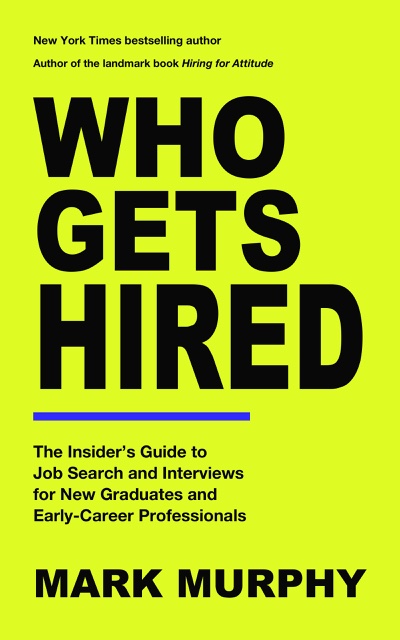
This article is adapted from Mark Murphy's book Who Gets Hired, which shows early-career candidates what trained interviewers listen for and how to answer honestly without underselling themselves.
Turn the advice into something you can use.
Get a worksheet, build an answer, or track your next step with the free companion tools.
Open the related tool →