You can run an entire job search with AI now. There are AI job search tools that find job listings, rewrite your resume for every job, draft the cover letter, apply for jobs while you sleep, and coach you through an AI interview at the end. The pitch is that artificial intelligence will streamline your job search and land you a dream job with less work.
AI can help with the tedious parts of a job hunt, but you still need to check what it produces. I've spent about twenty years training hiring managers, and my advice is to use AI as an assistant while keeping the facts and decisions in your hands. This guide walks through the search one stage at a time, showing where tools can help and what to check before you use their output.
How AI tools have changed job searches
AI tools can reduce the time it takes to draft an application or review a pile of resumes. That changes parts of the process on both sides, but it doesn't make either task cost-free.
On the candidate side, Clutch's State of AI Hiring in 2026 report found that 86% of respondents said AI helped them increase their weekly applications; the page dates its survey fieldwork to July 2025. On the employer side, Resume Genius's 2026 report found that 87% of respondents reported using AI in at least one recruitment stage. These vendor surveys describe their respondents' experiences, not every employer or job seeker.
Those surveys are a reason to pay attention to both targeting and accuracy. Before increasing your application count, check whether your materials show a credible match for the work. AI can help with that comparison if you review its output. Here's how to use it at each stage.
Where AI job search tools help, stage by stage
Finding and sorting job listings
Some job boards offer AI-assisted search or matching. You describe what you want in plain language, and natural language processing matches your profile to job postings instead of relying on an exact job title. That's useful for early-career candidates, who often don't know what the jobs they'd be good at are called. A general AI assistant can do something similar. Paste in your experience and ask which job titles involve that kind of work.
Treat the matches as leads. An AI match is not confirmation that a vacancy is current or that the employer is actively hiring. Check each one against the company's own careers page, and use these checks for stale or ghost postings.
A useful prompt: "Here are five job postings I saved and a plain description of my experience. For each posting, identify the central work, show where my experience matches, and list the requirements I haven't demonstrated."
Your resume and cover letter
A vague request to "improve" a resume can produce inflated verbs or unsupported metrics. A request to tailor it to a posting may add a skill you don't have. Compare every proposed change with your experience before using it.
The approach that works is to have the AI interview you first. Tell it what you did in plain words and ask it to question you one at a time about what happened and what you can verify. Then let it draft using only your answers. I've put a full set of copy-and-paste prompts in ChatGPT resume prompts, and the method for matching a posting is in how to tailor your resume.
The same goes for an AI cover letter. A tool can produce four paragraphs in seconds, and so can every other applicant. Use it to check structure and trim length. Write the two sentences about why you want this job yourself, because that's the part a recruiter reads for.
Getting past applicant tracking systems
Tools like Jobscan match your resume against a specific job posting and show which terms are missing. That's a legitimate use. An applicant tracking system stores your resume, and recruiters search it by the words in the posting. If you've done the work and called it something different, change your wording. If you haven't done the work, adding the keyword just moves the problem to the interview. More on formatting in ATS resume format.
Researching a company
AI is good at summarizing a company's public material before an interview. Ask for recent news, the products the team works on, and questions you could ask. Then verify anything you plan to say out loud, because AI assistants still state wrong things confidently. Mentioning a product the company doesn't make is worse than mentioning nothing.
Interview practice
This may be the best use of AI in your job search. An AI assistant will ask you questions for as long as you want, and voice mode lets you practice out loud. Give it the job description and tell it how to behave.
A useful prompt: "Act as a hiring manager for this entry-level role. Ask me one behavioral interview question at a time. After each answer, ask one follow-up about what I personally did. Don't give me feedback until I ask for it, and don't write answers for me."
That last instruction matters. Interview prep tools that generate polished answers for you to memorize tend to backfire, because a memorized answer falls apart on the first follow-up question. Practice telling your own stories. There's a full routine in mock interview questions.
Keeping the search organized
A job search assistant can turn a pile of saved postings into a table with deadlines, contacts, and the resume version you sent. It can draft a follow-up note for you to edit. Check the dates, contacts, and drafts against the originals before relying on them.
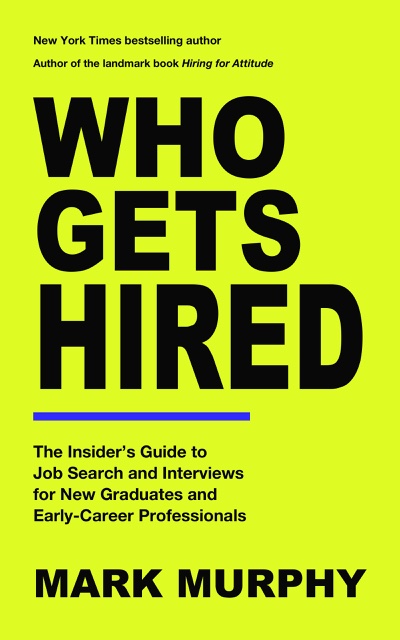
Get prompts for sharpening a résumé bullet and rehearsing the interview that follows. Learn to spot invented details before they end up in front of an employer.
Should you let AI apply to jobs for you?
Auto-apply services promise something like this: upload your resume, pick some job titles, go to sleep, and wake up to 100 submitted applications. After a day of filling out forms, that sounds great. Before you sign up, ask what exactly it sent and to which companies.
Consider an illustrative candidate, Omar. Some sales operations jobs match his Excel reporting experience. Others require SQL, which he doesn't know. If a tool sends his resume to every posting with "Sales Operations" in the title, it repeats his targeting mistake at a larger scale.
Then there's the screening question: "Can you build SQL reports without supervision?" Omar can't. If the tool answers yes because it was told to maximize interviews, it's lying on his behalf. If it answers no, it spent an application on a job he can't do.
A bad instruction looks like this:
Apply to as many analyst jobs as possible. Adjust my resume to match each posting and answer the questions in the way most likely to get me an interview.
It tells the tool to apply broadly and optimize for interviews, and it says nothing about what to do when the tool isn't sure Omar is qualified. That leaves room for the tool to fill gaps with unsupported claims. And if it doesn't save what it sent, Omar won't know which version of his experience an interviewer is holding.
A better instruction:
Compare these five saved postings with my factual experience notes. Identify the central work in each, show where my experience matches, and list requirements I haven't demonstrated. Draft revisions using only the facts in my notes. Flag every application question that needs an answer from me. Don't submit applications or invent dates, achievements, qualifications, pay expectations, or availability.
Here the tool organizes and drafts, and Omar makes the decisions. He sees the SQL requirement before anything goes out, and he knows word for word what each application says.
If you do use a tool that submits for you, review the employer, the resume version, your contact details, and every screening answer before it sends. Save a copy of the completed application. If the tool won't let you inspect or correct those details, don't let it submit. Check its permissions too, and don't give it access to accounts unrelated to your search.
Only count applications for jobs you'd discuss in an interview and accept if offered. A higher application count is not automatically a stronger search. Track which kinds of applications produce useful responses, and spend your time on roles you can credibly do. If your numbers are high and your interviews are low, see why am I not getting interviews.
Use the book’s 75-minute interview prep plan to choose your examples, practice a tough question out loud, and pull together one page of notes.
Employers are using AI on you, too
Some employers use AI to rank applications, summarize materials or conduct an initial interview. In Greenhouse's 2026 report, 63% of U.S. respondents said they had already faced an AI interview. Whether AI is involved in your application depends on the employer and the tools it uses.
Systems differ. For example, HireVue says its AI-scored video assessments analyze interview transcripts. That favors specific, factual answers over polished generalities, which is one more reason to keep your materials in your own words. AI interview preparation is its own topic, and I've covered it in how to prepare for an AI interview.
Showing employers you can work with AI
Many entry-level jobs now involve using AI, checking its output, and knowing what to do when it's wrong. Employers want evidence you can do that. Writing "proficient with AI tools" on a resume tells them about as much as "great communication skills."
Give one specific example instead. What did you ask the AI to do? What did it produce? What errors did you catch? What did you end up submitting? An answer like that shows a hiring manager you owned the result.
If you are skeptical of AI, turn that into a habit of checking its output. A 2026 Gallup, Walton Family Foundation and GSV Ventures survey found that about half of U.S. respondents ages 14 to 29 used AI weekly, while 42% felt anxious about it and 31% felt angry. The survey did not test whether skeptical people checked AI output more carefully. Whatever your feelings about it, verify the work before you use it.
A weekly AI-powered job search routine
- Pick five to ten postings. Use AI job matching to find them, then confirm each is live on the employer's site.
- Run the comparison prompt. See where your experience matches each job and where it doesn't. Drop the ones that don't fit.
- Tailor from your facts. Let AI suggest wording. Reject anything you couldn't explain in an interview.
- Submit them yourself. Answer the screening questions personally and save what you sent.
- Practice out loud. Use AI for interview practice on the jobs you applied to.
- Contact one person. No tool replaces a referral. See how to ask for a referral.
Frequently asked questions
Are there AI job search engines?
Yes. Some job boards offer AI matching or chat-style search, and there are standalone AI job search tools that pull job vacancies from many sources. They're useful for discovering job opportunities you wouldn't have searched for by title. Verify each posting with the employer before you apply.
What are the best AI tools for job seekers?
A general AI assistant such as ChatGPT, Claude, or Gemini covers most needs: comparing postings, drafting from your notes, and interview practice. Add a resume-matching tool if you want a keyword check. The tool matters less than whether you give it true information and review what comes back.
Can employers tell if I used AI?
An employer may ask whether you used AI, and policies vary. Generic wording or an answer you cannot explain can raise concerns, but they do not prove who wrote an application. Follow the employer's instructions and be ready to explain every claim in your own words.
Is it OK to use AI to apply to jobs?
Check the employer's rules before using AI to prepare an application. Letting it submit unreviewed applications is risky, because you're responsible for every claim and screening answer it sends under your name.
Do AI jobs require a degree?
It depends on the role. A job building AI systems may have different education requirements from a marketing or operations job that uses AI tools. Read the specific posting, check which qualifications are required, and prepare evidence of the work you can do.
This article is adapted from Mark Murphy's book Who Gets Hired, which shows early-career candidates what trained interviewers listen for and how to answer honestly without underselling themselves.
Turn the advice into something you can use.
Get a worksheet, build an answer, or track your next step with the free companion tools.
Open the related tool →